

Connect Zed to Qubrid AI by adding Qubrid as an OpenAI-compatible model provider. After setup, you can select Qubrid models directly from Zed’s model selector and run prompts using your Qubrid endpoint and API key.Documentation Index
Fetch the complete documentation index at: https://docs.platform.qubrid.com/llms.txt
Use this file to discover all available pages before exploring further.
Prerequisites:
- Zed installed on your machine
- A Qubrid account with access to the AI Playground
- A Qubrid API key
- The Qubrid endpoint URL from the AI Playground
- The model name you want to use from Qubrid AI
Configure Qubrid AI in Zed
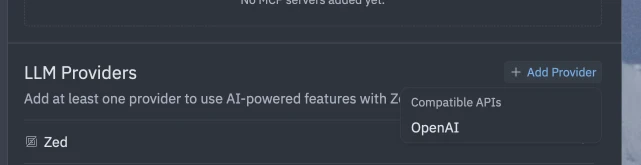
Add your Qubrid AI configuration
Copy the endpoint, model name, and API key from the Qubrid AI Playground, then replace the OpenAI provider values with your Qubrid valuesKeep the provider name as Qubrid AI so it is easy to identify in Zed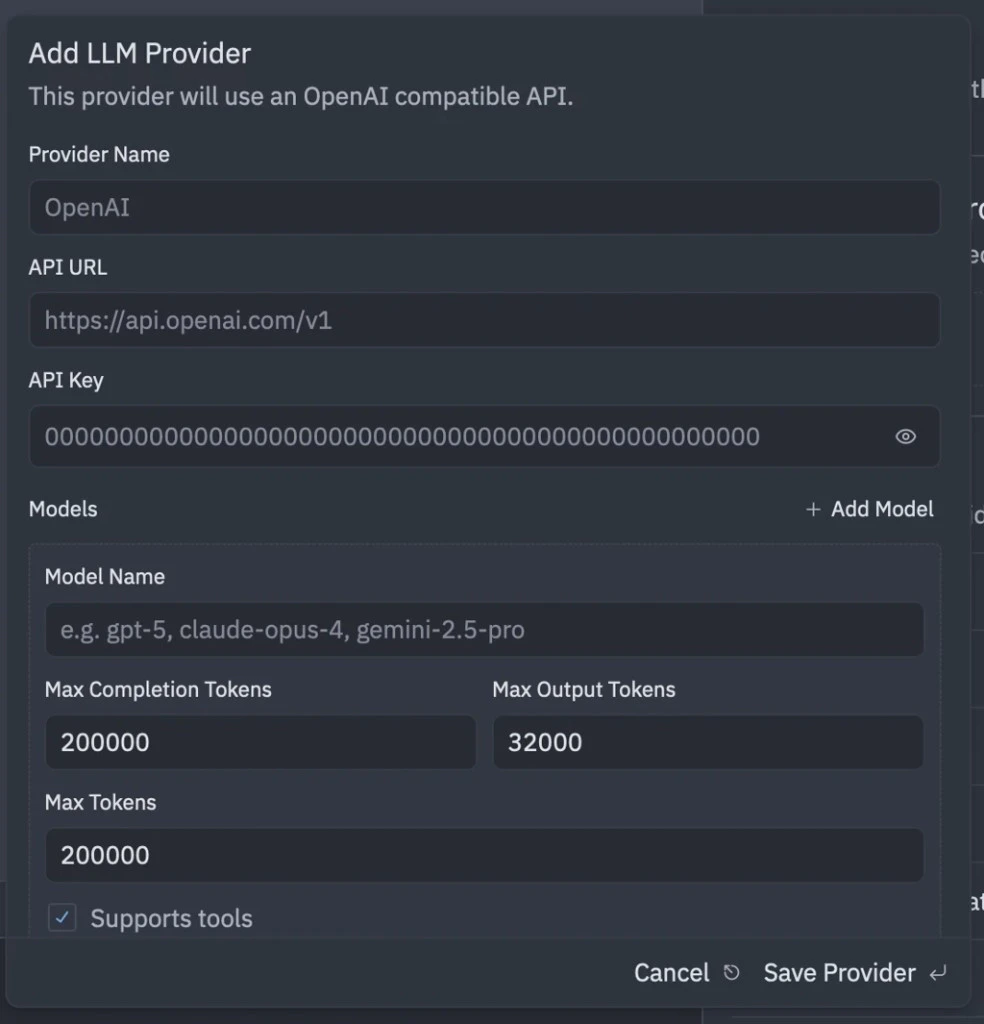
Configuration values
Use the values from the Qubrid AI Playground when configuring the provider:- Provider name:
Qubrid AI - Provider type:
OpenAI - Endpoint: Your Qubrid endpoint URL
- Model name: The Qubrid model name from the playground
- API key: Your Qubrid API key
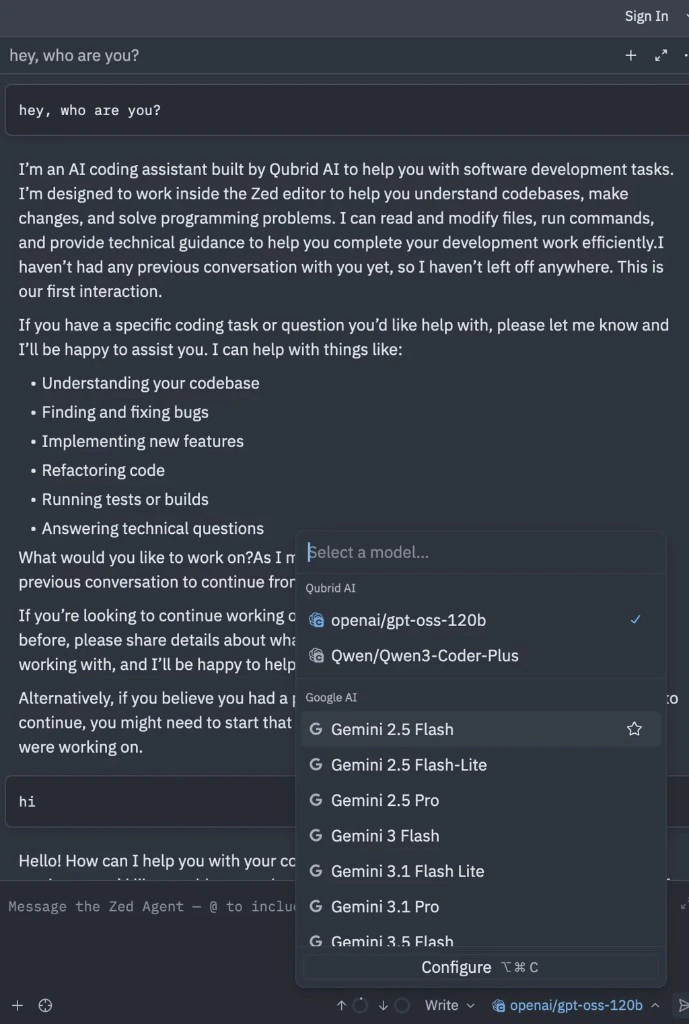
Verify the setup
After adding the provider, open the model selector in Zed and choose a Qubrid model. Send a test prompt to confirm that Zed can reach the Qubrid endpoint and return a response.Troubleshooting
If prompts run longer than expected, review Zed’s provider settings and timeout configuration using the link below. Also confirm that the endpoint, model name, and API key match the values shown in the Qubrid AI Playground.Go to Zed.dev Docs
If you have any questions related to Zed.dev, this is your place to be