Integrations
Zed
Configure Zed to use Qubrid AI models through the OpenAI-compatible provider
Connect Zed to Qubrid AI by adding Qubrid as an OpenAI-compatible model provider. After setup, you can select Qubrid models directly from Zed's model selector and run prompts using your Qubrid endpoint and API key.
Prerequisites:
- Zed installed on your machine
- A Qubrid account on the Qubrid AI Platform
- A Qubrid API key (how to generate an API key)
Configure Qubrid AI in Zed
Open the model provider panel
Open the model provider panel in Zed.
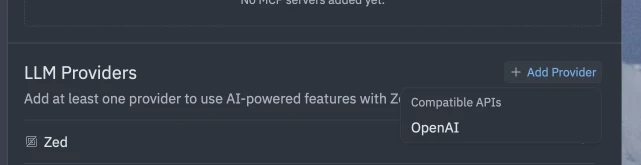
Add an OpenAI provider
Click Add provider and select OpenAI.
Add your Qubrid API key
- Open the Qubrid AI Platform and generate an API key. Follow How to generate an API Key.
- In Zed, paste the key into the provider's API key field.
Your API key is shown only once for security. Store it somewhere safe and secure before closing the dialog. If you lose it, you must generate a new key.
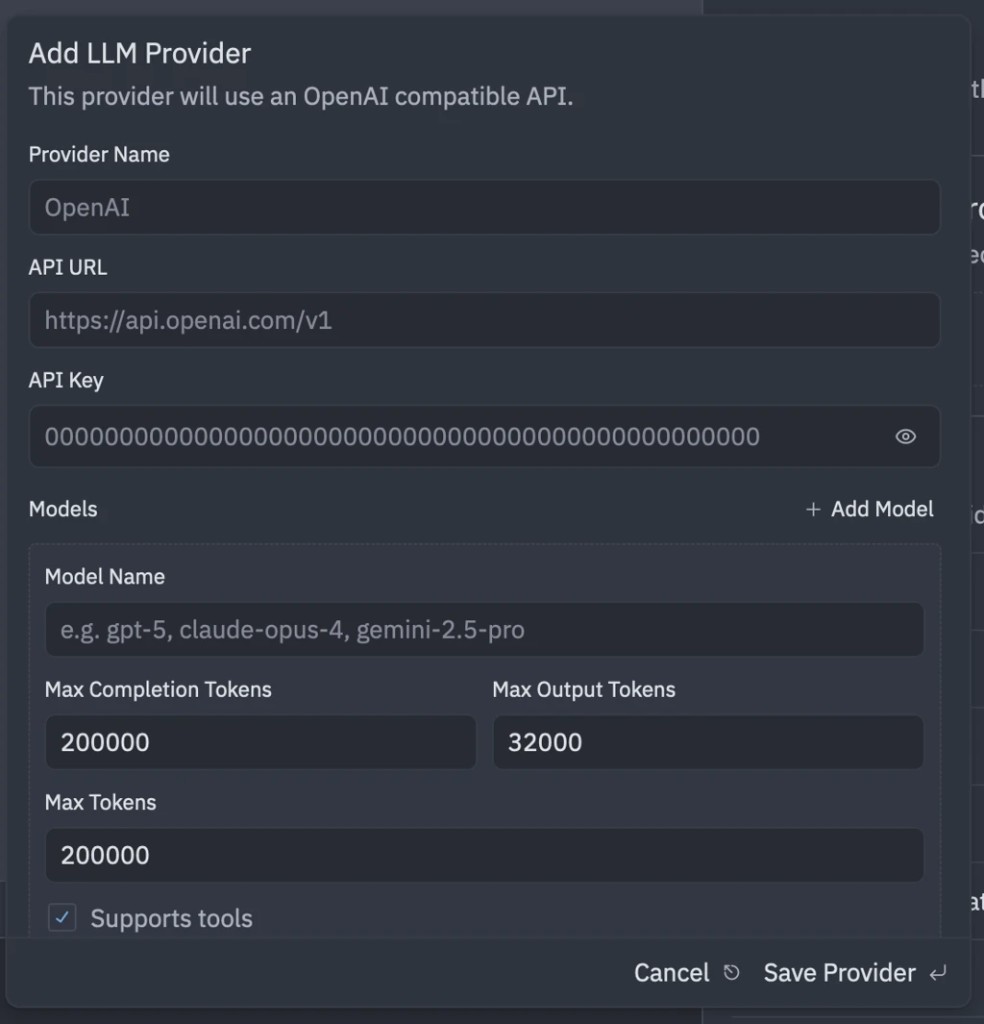
Set the Qubrid endpoint and model
Copy the endpoint, model name, and API key from the Qubrid AI Playground, then replace the OpenAI provider values with your Qubrid values.
Use the Qubrid base URL:
https://qubrid.com/v1Keep the provider name as Qubrid AI so it is easy to identify in Zed.
On the model page, the model ID appears beside the model name-click copy to paste it exactly (for example openai/gpt-oss-120b).
Select a Qubrid AI model
Click the model selector at the bottom of Zed and choose your Qubrid model.
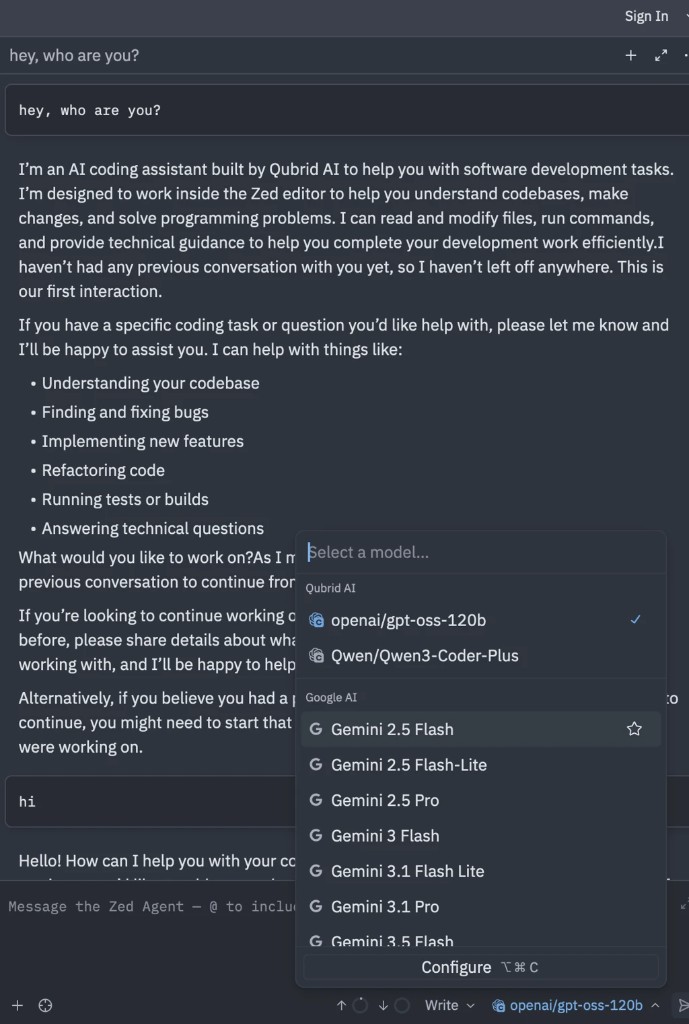
Send a test prompt to confirm Zed reaches the Qubrid endpoint and returns a response.
Your Qubrid integration with Zed is now configured. You can select Qubrid models from the model selector and run queries with your Qubrid endpoint and API key.
Monitor usage on Qubrid
Keep an eye on your usage and costs on the Qubrid platform.
- Review Inference Logs to see request history and debug issues.
- Check your credit balance before long or high-volume sessions.
- Rotate API keys if you suspect a key was exposed.
Configuration reference
| Setting | Value |
|---|---|
| Provider name | Qubrid AI |
| Provider type | OpenAI |
| Endpoint | https://qubrid.com/v1 |
| Example model ID | openai/gpt-oss-120b |
| API key | Your Qubrid API key |
Model IDs vary by model-always copy the ID from the model page or Playground.
Frequently Asked Questions (FAQ)
Go to Zed.dev Docs
If you have any questions related to Zed.dev, this is your place to be